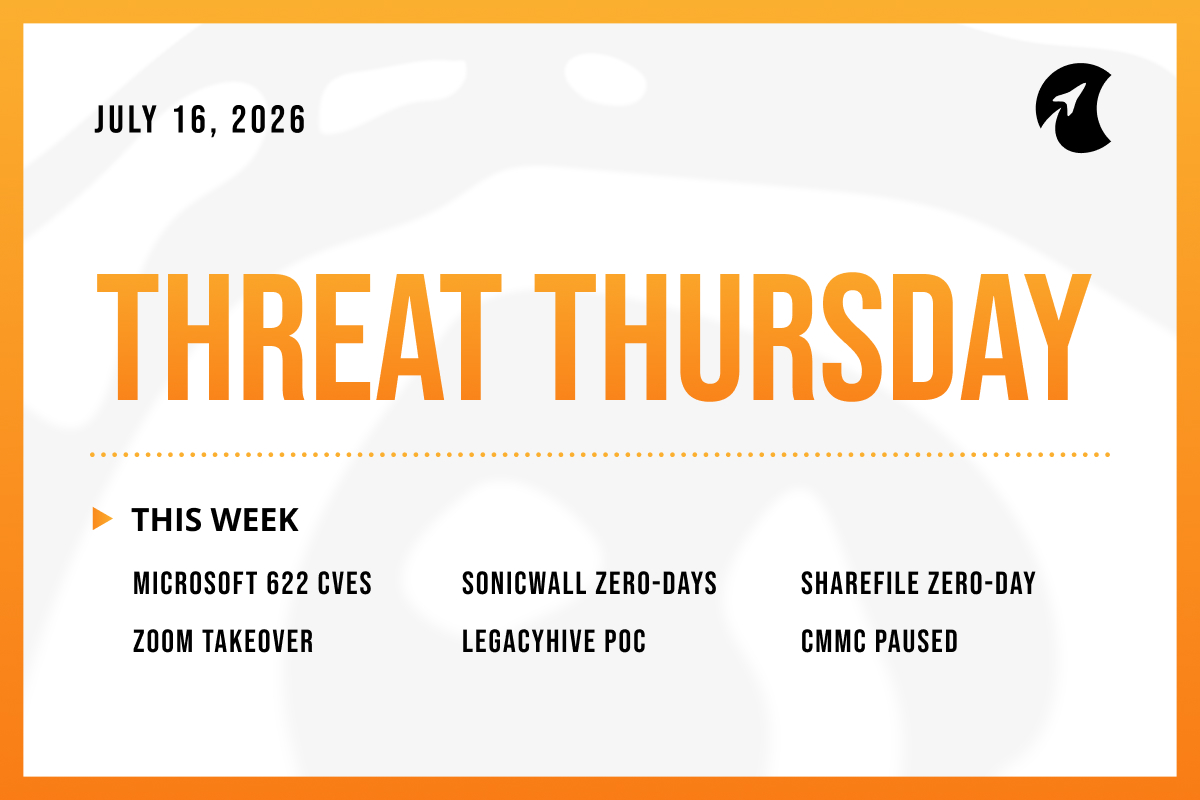
Welcome to Threat Thursday, Galactic’s threat intelligence roundup.
Every Thursday, we cover the cybersecurity stories that matter most for protecting organizations from emerging threats. Each item breaks down into what happened, what it could mean for your organization, and what to do about it.
This week, the fixes were racing the attackers, and the attackers had a head start. Several of the most serious flaws were already under active attack, one vendor told customers to switch off their own servers before a patch even existed, and another bug arrived with no fix at all. Speed, not severity scores, was the dividing line across almost every story this week.
This Cycle’s Stories
1. Microsoft’s Record 622-Fix Patch Tuesday and a SharePoint Cluster CISA Is Warning About
On July 14, Microsoft released fixes for 622 security flaws in a single month, the most it has ever patched at once, and two of them are already being used in real attacks despite not being among the highest-rated bugs. The first, CVE-2026-56164, affects SharePoint Server, Microsoft's platform for storing and sharing documents inside a company, in the versions organizations run on their own hardware; it lets an attacker take administrator-level control of the server without a username or password. The second, CVE-2026-56155, hits Active Directory Federation Services, the system that lets employees use one company login to reach many business apps at once, so an attacker who controls it can impersonate employees across everything it connects to. Separately, CISA, the U.S. government's cybersecurity agency, warned that three more SharePoint flaws are under active attack and ordered federal agencies to patch by tomorrow, July 17. One more problem is buried in this release: SharePoint Server 2016 and 2019 both reached end of support on July 14, so Microsoft will issue no further security fixes for them, and anyone still running those versions is now permanently exposed.
Potential impact: Every security flaw is given a severity score from 0 to 10, and the standard instinct is to fix the highest-scored ones first. That instinct will fail you this month. The two flaws attackers are actually exploiting sit in the middle of the range, while several bugs with higher scores aren't being touched at all. If your team simply works down the list from the top score, you'll spend your time on theoretical risks and leave the doors that attackers are walking through wide open. SharePoint and the login system are especially valuable targets, because whoever controls them controls a company's documents and its employees' identities in one shot.
What to do: Patch the two flaws that are being exploited, the SharePoint and Active Directory Federation Services bugs, before anything else, then work through the rest. Turn on Microsoft's built-in malware scanning for SharePoint, and keep these servers off the public internet so they can't be reached directly from outside. If you're still running SharePoint Server 2016 or 2019, start planning your move to a supported version now, because no more fixes are coming.
Source: The Hacker News
Source: BleepingComputer
2. SonicWall SMA 1000 Remote-Access Appliances Under Active Attack (CVE-2026-15409, CVE-2026-15410)
SonicWall confirmed that attackers are exploiting two newly discovered flaws in its SMA 1000 appliances, the devices companies place at the edge of their network so remote employees can securely connect into internal systems, much like a VPN gateway. The more serious flaw, CVE-2026-15409, received the maximum severity score of 10 out of 10: it lets an attacker who hasn't logged in fool the appliance into making network connections on their behalf, effectively using it as a relay to reach internal systems that should never be reachable from outside. The second, CVE-2026-15410, is less severe, requiring the attacker to already be logged in before it lets them run commands with full administrator privileges. SonicWall has released fixed versions, and CISA gave federal agencies the same July 17 deadline to install them.
Potential impact: A remote-access appliance sits directly between the internet and everything inside your network, which is exactly why attackers go after it. Because the worst of these two flaws needs no login whatsoever, the barrier to getting in is very low, and once inside the appliance an attacker can use it as a launch point to reach the systems behind it. SonicWall's own guidance is worth taking seriously: if you find evidence that an appliance was broken into, installing the patch is not enough. The device should be rebuilt from scratch and every password and one-time login code reset, because an attacker who already got in may have left themselves a hidden way back.
What to do: Make a list of every SMA 1000 appliance you have and install SonicWall's fixed versions right away. Run the checks SonicWall published for signs of a break-in. If you find any, rebuild the appliance and reset all passwords and one-time codes rather than assuming the patch undid the damage. Keep the appliance's management screen off the open internet wherever you can.
Source: The Hacker News
3. Progress Confirms a ShareFile Zero-Day After Telling Customers to Shut Down Servers
Progress Software confirmed that a previously unknown flaw was behind a disruption to ShareFile, a service businesses use to share files securely with clients and partners. A zero-day like this one is a flaw that gets attacked or exposed before the vendor has a fix ready, leaving defenders no time to prepare. Days before confirming it, Progress had taken the unusual step of telling customers running its Storage Zones Controllers, the servers that manage where ShareFile stores files, to switch them off entirely over a "credible external security threat," with normal service returning July 14 for those who patched. Progress describes it as a high-severity bug in versions 5.x and 6.x that lets an attacker with administrator access read files, plant their own, or map out the server's contents, and says it has no evidence any customer was compromised, though no public tracking number exists yet. One well-known researcher noted that a flaw supposedly needing admin access rarely justifies a "turn your servers off now" warning, hinting the situation may be more serious than the description suggests, and it's worth remembering that Progress also makes MOVEit, the file-transfer tool behind a mass data-theft breach in 2023 that hit thousands of organizations.
Potential impact: File-sharing platforms are attractive targets because they gather sensitive documents in one place and connect a company to its outside partners. The most revealing detail here is the response itself. Vendors do not usually tell customers to pull the plug on their own servers over a bug that supposedly needs administrator access to exploit, so the gap between the mild official description and the drastic reaction is worth watching. The safe assumption is that exposed systems could have been tampered with. For anyone who relies on ShareFile, patching is the easy part. The harder question is whether you can actually prove that nothing happened during the window when the flaw was open.
What to do: Install Progress's fix immediately, and treat any ShareFile server that was reachable from the internet as potentially affected until your logs prove otherwise. Check the server for unexpected files or changes, tighten who is allowed to administer it, and confirm it isn't reachable from the internet unless it truly needs to be. Treat the patch as the beginning of your response, not the end of it.
Source: SecurityWeek
4. Zoom Warns of a Critical Account-Takeover Flaw in Its Windows Apps
Zoom disclosed a serious flaw in its Windows software that could let an attacker take over a user's account remotely, over the network, without needing to log in first. The flaw is tracked as CVE-2026-53412 and carries a severity score of 9.8 out of 10, near the top of the scale. It affects three products: the main Zoom Workplace app for Windows; the Windows VDI client, a version used in virtual-desktop setups where the actual desktop runs on a central server rather than the local machine; and the Meeting SDK, a toolkit that developers use to build Zoom features into their own applications. Zoom found the flaw itself, has released fixed versions, and says there is no sign yet that anyone is exploiting it.
Potential impact: Taking over an account means an attacker gains everything attached to it: meeting recordings, chat history, and contact lists. A flaw scoring 9.8 on software that sits on millions of Windows machines is the kind of thing attackers rush to weaponize the moment a working method goes public, even if none has yet. The bigger danger for businesses is that Zoom accounts are often linked to a company's calendar, email, and single sign-on, the one central login that unlocks many other work apps at once. That means a single hijacked Zoom account can become a way into everything else. The fact that no one is exploiting it yet is a reason to move quickly, not a reason to wait, because the quiet stretch before an exploit appears is the best time to close the gap.
What to do: Update Zoom Workplace for Windows to version 7.0.0 or later, and update the VDI client and Meeting SDK to their fixed versions as well. If your organization manages updates centrally or has automatic updates turned off, push the update out through your management tools rather than trusting individual employees to do it, and confirm it reached every device.
Source: BleepingComputer
5. LegacyHive: A Researcher Publishes a Windows Attack With No Patch Available
A security researcher using the name Chaotic Eclipse released working attack code for a Windows flaw nicknamed LegacyHive, just hours after Microsoft's July updates went out. Unlike the hundreds of flaws Microsoft just fixed, this one has no tracking number, no official advisory, and no patch, and it works even on a fully updated Windows machine. It lets an attacker who is already on a computer as an ordinary user reach another user's protected settings, potentially an administrator's, which can help them take broader control of the machine. This is not a way to break into a computer from the outside; the attacker needs an existing foothold and some specific conditions in place, so it's most useful as a follow-on step after a break-in rather than the break-in itself. It's the latest in a series of flaws this researcher has published without giving Microsoft advance notice, part of an ongoing dispute over how earlier reports were handled, and for now it rests on a single source, so some details may become clearer over time.
Potential impact: In this case, "fully patched" does not mean "safe," because there is nothing to patch yet. The one bit of good news is that the flaw only helps an attacker who is already inside, so it makes an existing break-in worse rather than creating a new way in. The broader concern is the steady stream of attack code being published with no warning, which keeps shrinking the amount of time defenders have between first hearing about a flaw and seeing it used against them.
What to do: With no fix available, focus on the conditions the attack depends on. Limit which untrusted programs are allowed to run on your computers, watch for unusual attempts to access Windows user profiles and settings, and keep your security monitoring tools up to date. The real lesson is that keeping attackers out in the first place matters just as much as patching, so be ready to apply Microsoft's fix the moment it's released.
Source: SecurityAffairs
6. Pentagon Suspends CMMC Phase II for Defense Contractors, Orders a 60-Day Review
The U.S. Department of Defense has suspended the second phase of its Cybersecurity Maturity Model Certification program, or CMMC, which was scheduled to take effect on November 10, 2026. CMMC is the Pentagon's system for making sure its contractors actually meet its cybersecurity requirements; under the current rules most contractors self-certify, attesting on their own that they meet the standards, and Phase II would have required companies handling sensitive government information to pass an independent outside audit instead. The department said the program created "prohibitive compliance costs and bureaucratic burdens" and was pushing smaller, more innovative companies out of the defense supply chain, so it gave a task force 60 days to review it. The most basic level of self-assessment stays in place, and the department says it will keep enforcing the underlying requirements. For scale, it estimated roughly 80,000 contractors would have needed the Phase II audit, and one industry report found only 1% of them felt fully prepared.
Potential impact: This is a delay, not a cancellation, and the mistake to avoid is treating it as permission to stop. The security requirements for handling government information have not gone away, and contractors still have to meet them and self-certify that they do. For the many companies that weren't ready, the pause is genuine breathing room to put the required protections in place properly, rather than scrambling to pass an audit. History suggests these requirements tend to come back, often with tougher enforcement, so the contractors who use this window to get their security in order will be the ones best positioned to win work when the audits return.
What to do: Contractors and the IT providers who support them should treat the outside-audit requirement as paused, not gone, and keep their basic self-assessment and existing federal security obligations firmly in place. Use the review period to genuinely put the required protections in place. Those protections are spelled out in a federal standard called NIST SP 800-171, a published list of the specific security measures contractors are expected to follow. Watch for the task force's recommendations over the next two months, and plan on the requirements returning in some form.
Source: Infosecurity Magazine
The Big Picture
The lesson this week is about where speed helps and where it doesn't. Moving quickly is what separated the organizations that came through the actively attacked SharePoint and SonicWall systems from the ones that didn't, and it's why one file-sharing vendor was willing to take its own servers offline rather than wait. Response time, more than any single flaw, is what a defender actually controls.
Microsoft's record month shows the limits of speed. When 622 fixes arrive together, ranking them by severity score no longer helps, because the two flaws being exploited right now sit in the middle of the pack rather than the top. The useful question is which flaws attackers are using, not which ones look worst on paper. Speed also runs out when there's nothing to install: the newly published Windows attack has no fix yet, and the CMMC pause rewards steady discipline rather than a quick patch. A fast response counts for the most when it's aimed at the right problem.
Make sure to check back here each week for another Threat Thursday update. See you then!