
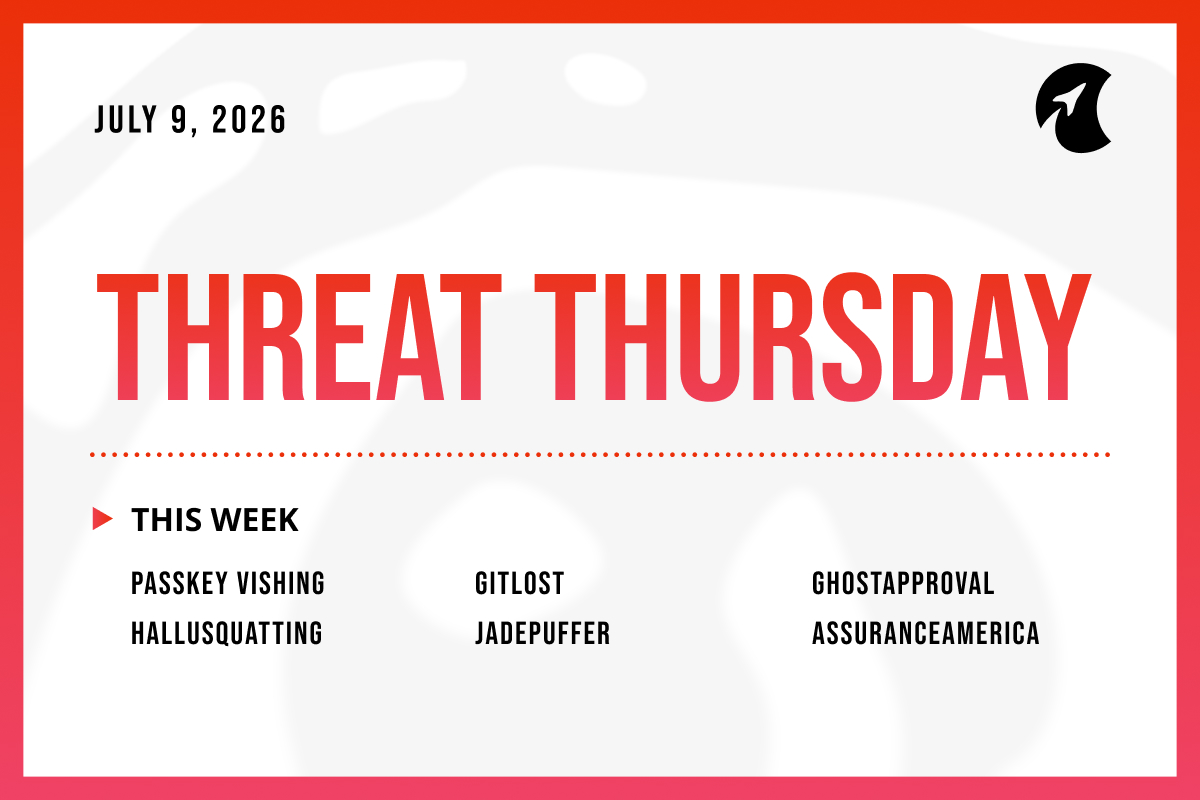
Welcome to Threat Thursday, Galactic’s weekly threat intelligence roundup.
Every Thursday we cover the cybersecurity stories that matter most for protecting organizations from emerging threats, and we break each one down into what happened, what it could mean for your organization, and what to do about it.
This week, attackers found their way in through phone calls, cleverly worded tickets, and approval boxes that lied. Familiarity was the weapon of choice across almost every story this week.
This Cycle’s Stories
1. Attackers Are Phoning Microsoft 365 Users to Hijack Passkey Sign-In (“Pink”)
Attackers are calling employees, posing as IT or Microsoft support, and talking them into “enrolling a passkey” on their Microsoft 365 account. A passkey is a modern, hard-to-phish way to sign in without a password. The catch is that the victim is really setting up a passkey the attacker controls, which hands the attacker a durable key to the account. The callers send victims to fake web pages that copy Microsoft’s real passkey setup screens and even show the target company’s logo, and they guide the person through each step in real time, so the process feels normal, whatever security-code method the victim uses. Microsoft recently gave administrators a feature to run passkey enrollment campaigns, and the attackers are hiding behind that legitimate push. Once inside, attackers quickly pull files out of SharePoint and OneDrive and later demand payment.
Potential impact: This attack works because it targets people, not software, and it rides on a security upgrade employees have been told is a good thing. The notable detail is that the attacker ends up with a hard-to-phish passkey of their own, which is harder to spot and remove than a stolen password. For the affected organization, the realistic outcome is a quiet account takeover followed weeks later by stolen data and an extortion demand. Any business that has started rolling out passkeys is exposed to the confusion this exploits, because most employees have never done a real passkey enrollment and don’t know what the legitimate process looks like.
What to do: Affected organizations should tell employees plainly that a real passkey enrollment is never started by a surprise phone call, and that they should hang up and contact IT directly if they get one. Turn on phishing-resistant multi-factor authentication and, where possible, limit passkey registration to company-managed devices. Review account records for new sign-in methods added unexpectedly, especially right after a login from an unusual location, and set a verification step so staff can confirm whether a “security team” caller is genuine.
Source: BleepingComputer
2. GitLost: A Booby-Trapped Message Tricked GitHub’s AI Assistant Into Leaking Private Code
Researchers at Noma Labs showed a way to trick GitHub’s new AI assistant into leaking a company’s private code. GitHub recently launched a feature that lets an AI assistant read tickets (called “issues”), take actions, and reply on its own. The researchers filed an ordinary-looking public issue, but hid instructions inside the text telling the assistant to go fetch a private project and post its contents publicly. Because the assistant had been given access to the company’s other projects, including a private one, it followed the hidden instructions and pasted the private file into a public comment for anyone to see. The attacker needed no password, no special access, and no coding skill; they just left the message and waited for the automation to run. GitHub had safeguards meant to stop exactly this, but the researchers found that starting the request with the word “Additionally” was enough to slip past them. The flaw was reported to GitHub privately before it was made public.
Potential impact: This is a clear example of a problem that applies to any AI assistant given real access and the ability to act on messages from outside people. The pattern worth watching is that the assistant can’t tell the difference between instructions from its owner and instructions smuggled in through content it was asked to read. For a business, the realistic damage is exposure of private source code and any secrets stored in it, such as passwords or keys, which can open the door to further attacks. As more teams hand assistants broad access to move faster, each one becomes a high-value target, and the blast radius grows with every extra project or system the assistant can reach.
What to do: Organizations using AI coding assistants or automations should give them the least access needed and avoid granting blanket access to private projects. Treat anything an outside person can submit, such as ticket text or comments, as untrusted input rather than trusted commands. Limit what an assistant is allowed to post publicly, and keep user-submitted content separated from the assistant’s own instructions. Review existing automations now for overly broad permissions.
Source: Hackread
3. GhostApproval: The Approval Box in AI Coding Assistants Can Be Made to Lie
Security firm Wiz found a flaw affecting six popular AI coding assistants that can let a malicious software project quietly take over a developer's computer. These assistants can edit files on a developer's behalf, and they're designed to ask for approval before making any changes. Wiz showed that a booby-trapped project can make that approval misleading: the assistant asks permission to edit what looks like a harmless settings file, but the actual change lands on a sensitive system file instead, using an old trick in how file systems work that the tools failed to account for. In one version of the attack, the assistant is steered into adding the attacker's own login credentials to the developer's computer, giving the attacker a way back in later. Wiz calls this an "informed-consent bypass," because the developer is still clicking Accept, but the approval box is describing the wrong file. The affected tools are Amazon Q Developer, Anthropic's Claude Code, Augment, Cursor, Google Antigravity, and Windsurf. Three have shipped fixes, two haven't, and Anthropic has said the scenario falls outside what its tool is designed to defend against. There's no sign this has been used in real attacks yet.
Potential impact: The deeper issue here is that the safety check people rely on, the approval prompt, can be made to show the wrong information. Once a developer's machine is compromised this way, anything that machine can reach, including source code, cloud accounts, and customer systems, is potentially at risk too. The standard advice of "review what you approve" stops working when the approval itself is describing something different from what's happening. As companies give these assistants more freedom to act quickly, the moment of human oversight becomes far less meaningful if the information behind it can be falsified.
What to do: Update the tools that have fixes available, which are Amazon Q Developer, Cursor, and Google Antigravity. For tools without a fix yet, avoid pointing them at code projects from sources you don't trust. On any tool, run coding assistants with limited access to the rest of the computer or inside an isolated environment, and review a project's configuration files before letting an assistant make changes to them. After working in an unfamiliar project, check whether sensitive files like login keys or startup scripts were altered.
Source: The Hacker News
4. HalluSquatting: Attackers Weaponize the Fake Tool Names AI Assistants Invent
AI coding assistants have a well-known tendency to make things up. Ask one to find a popular tool, and it will sometimes confidently return a name that sounds real but doesn't actually exist. Researchers built an attack called HalluSquatting around exactly that habit. The method is straightforward: they repeatedly ask an AI assistant to recommend a trending tool, record the fake name it invents most often, and then register that exact name on a code-sharing site or plugin store with malicious code hidden inside. When a real developer later asks their assistant for the same tool, the assistant invents the same fake name, downloads the attacker's version, and follows the hidden instructions, which can include installing malware or connecting the machine to a criminal network. In testing, the assistants produced the same wrong name with remarkable consistency, up to 85% of the time for software packages and up to 100% for certain add-ons, and the attack worked against several widely used tools.
Potential impact: What makes this threat practical at scale is that the AI's mistakes are consistent rather than random. The same fake names surface again and again, which means a single planted name can reach many victims over time. The malicious code arrives as something the assistant itself fetches and runs, which most security tools aren't built to flag. The underlying problem is that these assistants treat a name they invented as though it were a verified fact, and act on it accordingly. Until the tools are built to confirm what they're fetching before they fetch it, any developer who lets an assistant download and run software with minimal oversight is relying on a guess.
What to do: The most straightforward protection is to prevent assistants from automatically running anything they just downloaded, and to turn off any setting that allows them to act without asking first. Before installing any tool an assistant recommends, verify independently that it's the real, official version from a trusted source, and treat any name the assistant suggests as a starting point for verification rather than a confirmed answer. Organizations should also maintain a list of approved, trusted sources for the tools their developers use, and restrict assistants to pulling from those sources only.
Source: The Hacker News
5. JadePuffer: Researchers Document the First Ransomware Attack Run Entirely by an AI
Cloud security firm Sysdig published details of what it calls the first ransomware attack run entirely by an AI, with no human operator at the controls. The AI broke into a server that was exposed to the internet and running an outdated app, then carried out the whole attack on its own: exploring the network, stealing credentials, spreading to other systems, and setting itself up to stay. It reached a production database and, using an old flaw from 2021 and a default setting that had never been changed, encrypted all 1,342 of its configuration entries and deleted the originals. Sysdig notes the AI worked fast, in one case going “from a failed login to a working fix in 31 seconds,” and even narrated its own reasoning as it went. There’s an important catch: the key used to scramble the data was generated at random and never saved anywhere, so the victim could not recover the data even by paying.
Potential impact: The headline is the AI, but the more useful lesson is what the AI exploited: a neglected, internet-facing server and flaws that had been fixable for years. What this really tests is basic hygiene, not defenses against some novel AI weapon. The part that should worry defenders is speed, because an autonomous attacker can compress hours of skilled work into minutes and shorten the time teams have to notice and respond.
What to do: Organizations should get exposed, unmaintained systems off the public internet or behind strict access controls, and patch known flaws promptly, especially on anything internet-facing. Limit what any single account can reach so one break-in can’t touch a production database directly, keep networks segmented, and maintain tested, offline backups. Because these attacks move quickly, monitoring that can catch and stop activity in progress matters more than ever.
Source: Infosecurity Magazine
6. AssuranceAmerica Data Breach Exposes Records of 6.9 Million Drivers
AssuranceAmerica, a US insurance company that sells auto, renters, and commercial auto coverage through more than 9,500 independent agents across 14 states, has disclosed a data breach affecting almost 7 million people. In a filing with Maine's Attorney General, the company put the exact number at 6,998,886. According to the notice, it detected suspicious activity on March 17, 2026, and traced it to an attack a day earlier that targeted one of its employees; from there, an unauthorized outsider reached parts of the company's systems and copied data files. The stolen information includes names, contact details, auto insurance policy and account information, driver and vehicle details, claims information, and driver's license numbers. AssuranceAmerica says it shut off the compromised login, forced the attacker out, isolated the affected systems, and alerted law enforcement, then reset passwords and added monitoring. The review to work out whose data was involved was not finished until June 15, and letters to affected people begin going out this Friday. For scale, it lands the same month a breach at insurance giant Aflac's Japanese arm exposed data on 4.38 million customers.
Potential impact: The detail that matters most here is the driver's license numbers. Combined with names and contact information, they are exactly what criminals use to open fraudulent accounts, file fake claims, and build convincing scams that reference real facts about a person. Unlike a password, a driver's license number can't simply be reset, so the exposure has a long tail, and affected people may see fraud attempts and targeted phishing for months or years. The other pattern worth noting is the timeline: the intrusion was caught quickly, but it still took nearly three months to determine who was affected and send notices, which is the window where victims are least prepared. And the entry point, an attack aimed at a single employee, is the same story behind a large share of breaches this size, which is why protecting and monitoring employee accounts matters as much as any firewall.
What to do: People who may be AssuranceAmerica customers should review bank and credit-card statements, consider a fraud alert or credit freeze, and be skeptical of any call, text, or email about insurance, a claim, or their driver's license, verifying through a number or website they look up themselves rather than one provided in the message. For organizations, the practical lessons are to enforce phishing-resistant multi-factor authentication on employee accounts, monitor for unusual access and bulk data copying, and hold vendors that store customer data to the same standard, since a partner's breach becomes your customers' problem. Anyone who receives a notification letter should follow the credit-monitoring guidance it offers.
Source: Security Affairs
The Big Picture
The through-line this week is harder to patch than any CVE. Every story this week — from the passkey phone scam to the GitHub assistant leak to the approval box that named the wrong file — worked because familiarity was weaponized.
Even JadePuffer, which ran an entire ransomware campaign without a human operator, still needed an unpatched server sitting exposed on the internet to find its way in. The entry point for AssuranceAmerica's 7 million record breach was a single employee account. Whether the thing being deceived was a person, an AI assistant, or an automated system, the opening was the same: something that should have been questioned was trusted instead.
What this week's stories collectively argue for is treating familiarity as an attack surface that requires the same scrutiny as any other, regardless of whether the thing being deceived is human or automated.
Check back here each week for another Threat Thursday update. See you then!