
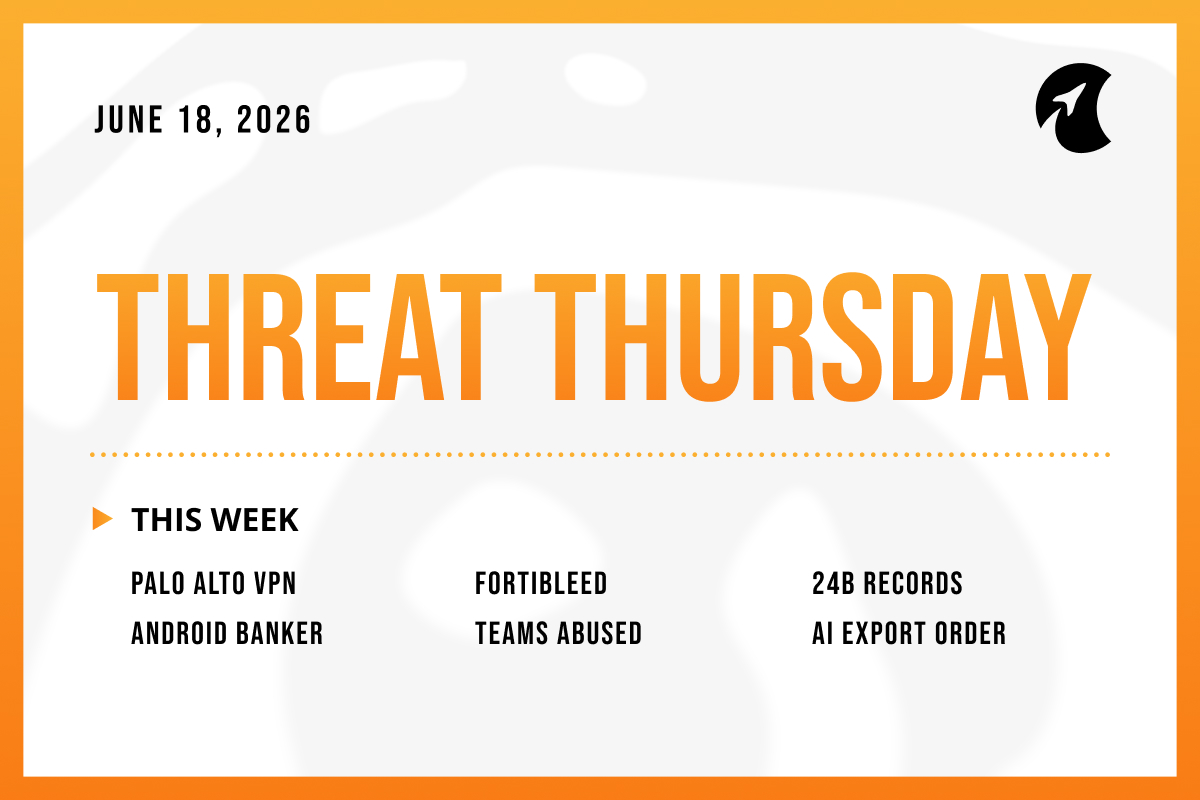
Welcome to Threat Thursday, Galactic's weekly threat intelligence roundup.
Every Thursday we break down the cybersecurity stories that matter most for protecting your organization, with each item split into what happened, what it could mean for you, and what to do about it.
This week's edition arrives alongside Verizon's 2026 Data Breach Investigations Report, and the timing is fitting. The stories below illustrate both of the trends the report puts numbers on: attackers walking in through unpatched devices, and stolen credentials being validated at a scale that makes password complexity beside the point. Defenders don't get to choose which race to run. This week asks you to run both.
This Cycle's Stories
1. Palo Alto Patches an Actively Exploited VPN Bypass (CVE-2026-0257)
Palo Alto Networks, a major vendor of network firewalls, confirmed that attackers are actively exploiting a flaw in GlobalProtect, the VPN its firewalls use for staff remote access. The flaw (CVE-2026-0257) lets an attacker skip the login entirely. Many of these firewalls make the common mistake of sharing digital certificates (a kind of security credential) between the public website and the login system. That lets an attacker copy a key from the public side and forge a valid login for any account, including the administrator, without ever knowing a password. Palo Alto patched it on May 13, Rapid7 confirmed real-world attacks two weeks later, and the U.S. government added it to its Known Exploited Vulnerabilities catalog in early June. In some cases attackers landed directly on the victim’s internal network, and a public attack script appeared on May 29.
Potential impact: A flaw that lets attackers skip the login on a VPN exposed to the internet is close to a worst case, because that VPN exists to let trusted staff reach the inside of the network. Rapid7 argued that Palo Alto’s initial “medium” rating understated the risk: a flaw that drops an attacker onto the internal network is not a medium problem. Only firewalls with the vulnerable setup are exposed, but attackers are scanning for exactly that right now, and for this class of device the gap between a patch and mass exploitation has repeatedly been days.
What to do: Affected organizations should update to the fixed Palo Alto software right away. If that is not possible today, two vendor workarounds shut the attack down: turn off the “authentication override” setting, or give the login system its own dedicated certificate instead of a shared one. Then check the VPN’s logs for the sign-in patterns Palo Alto and Rapid7 published, and confirm no unexpected internal access followed a VPN connection.
Source: Security Affairs
2. FortiBleed: Stolen Logins for Tens of Thousands of Fortinet Firewalls
Researchers at Hudson Rock described a campaign they call FortiBleed: working logins for 73,932 Fortinet firewalls across 194 countries. It is important to be clear about what this is. It is not a new flaw in Fortinet products. It is the result of attackers taking passwords already stolen through earlier breaches and infostealer malware (programs that quietly lift saved passwords off infected computers). They tested those passwords at huge scale, around 1.16 billion attempts against more than 320,000 firewalls, and recorded every one that worked. The uncomfortable finding is that many of the passwords that worked were long and complex, which made no difference, because the attackers were not guessing, they had the real password. Hudson Rock published a free portal to check a domain. Some sensational claims, including stolen military documents, are unconfirmed, and the named victims come from the researchers, not the companies.
Potential impact: This is the clearest illustration of why “use a strong password” stopped being sufficient on its own. Once a password is stolen, its complexity is irrelevant, and stolen passwords are now bought, sold, and validated in industrial volumes. A working login to a firewall is especially serious because that device sits at the edge of your network and can be used to watch traffic and reach the systems behind it. The perimeter device you trust to keep attackers out is only as strong as the credentials protecting it, and those may already be in someone else’s spreadsheet.
What to do: Organizations using Fortinet firewalls should check the exposure portal, then reset administrator and VPN passwords and treat any match as already compromised. Turn on multi-factor authentication (a second login step) for all outside access, so a stolen password alone is not enough. Limit firewall management to trusted networks, remove unused accounts, and review the firewall’s logs for suspicious sign-ins.
Source: Hackread
3. A 24-Billion-Record Trove of Stolen Logins Found Exposed Online
Researchers at Cybernews found an unprotected database holding around 24 billion stolen login records, more than 8.3 terabytes drawn from 36 sources. The mix included hacking channels on Telegram, older breach collections, and, most notably, fresh logs from infostealer malware, programs that quietly harvest everything useful from an infected computer. The database sat on a server with no password until it was taken offline. Researchers compared it to the 2024 “mother of all breaches,” but noted this one leans toward recent infostealer logs rather than recycled data, which makes it more useful to criminals. A single infostealer log can hold saved browser passwords, the session tokens that skip multi-factor authentication, autofill details, and crypto wallets.
Potential impact: The headline number is almost beside the point, and because researchers could not de-duplicate the data before it vanished, treat it as approximate. What matters is what these collections now contain. Old dumps were just lists of passwords. Modern infostealer logs are complete access kits, including the live session tokens that defeat multi-factor authentication, so a criminal can sometimes log in as the victim with no password and no second factor at all. For any organization, assume some employee credentials are already in a collection like this. The question is no longer whether passwords leaked, but whether a leaked password or token still works.
What to do: Organizations should assume exposure: reset old or reused passwords, starting with email, banking, and admin accounts, and confirm multi-factor authentication is on everywhere. Because infostealers also steal the session tokens that keep you logged in, signing out active sessions adds protection a password change alone does not. Most infections start with malicious ads, fake software updates, or “paste this command” tricks, so blocking those routes is the real fix.
Source: Malwarebytes
4. Rokarolla: Android Malware That Steals Banking PINs and One-Time Codes
Researchers at Zimperium documented a new Android banking trojan, Rokarolla, that targets 217 banking and cryptocurrency apps. It spreads through sites posing as popular apps like TikTok and Chrome, and the first thing it installs is a fake Google Play Protect that tricks the user into granting “Accessibility” access, a powerful permission meant to help people with disabilities control their phone. With that access it turns the real Play Protect off. It then captures the lock-screen PIN, reads and sends texts to steal the one-time codes banks use to confirm transfers, and swaps cryptocurrency addresses in the clipboard so payments go to the attacker. It also lays fake login screens over real banking apps. There is no patch, because this is malware, not a flaw in a legitimate product.
Potential impact: This trojan is built to defeat the protections people are told to rely on. It steals the one-time text codes meant to back up a password, and by becoming the phone’s default for calls and texts it can block a fraud-warning call from the bank. For a business, the exposure runs through employee phones used for banking, approvals, or crypto, company-owned or personal. The broader lesson is that the phone is now a high-value target, and the most dangerous moment is when an app asks for Accessibility access, because that one permission hands over control.
What to do: Because there is nothing to patch, defense is about phone settings and habits. Allow installs only from the official Google Play store, keep Play Protect on, and treat any app asking for “Accessibility” access as suspicious until it is checked. Zimperium has published warning signs that phone security apps can use to spot it. Remind people never to install an app from a link or advertisement, however convincing it looks.
Source: The Hacker News
5. DragonForce Ransomware Hides Its Traffic Inside Microsoft Teams
Symantec documented the DragonForce ransomware group using new malware that hides its communication with the attackers inside Microsoft Teams. Most malware has to “phone home” to a server the attacker controls, and that outbound connection is one of the clearest ways defenders catch it. This malware disguises that connection by routing it through the same relay system Teams uses to connect calls, so it looks like ordinary Teams traffic on a trusted service. In a December 2025 attack on a large U.S. company, the group got in through a database server. From there they created new accounts, weakened security settings, and installed legitimate-but-flawed drivers to switch off the victim’s security tools, then stole data and launched the ransomware. Researchers call it the first real-world malware to abuse Teams this way.
Potential impact: The clever part is the camouflage, not the ransomware itself. By blending its command traffic into a trusted service nearly every business runs and allows through the firewall, the attackers buy time inside the network, which is exactly the time they use to find and destroy backups and steal data for extortion. This fits a wider pattern of attackers living off trusted things, using the legitimate tools already inside an environment so nothing looks out of place. It also raises the bar for detection: watching for connections to suspicious servers is not enough when the malicious traffic wears a Microsoft badge.
What to do: Defenders should add the warning signs Symantec published to their monitoring. Because the malicious traffic hides inside normal Teams connections, focus on the rest of the attack: update and secure the database servers that face the internet, watch for trusted programs being misused to run malicious code, and block the known flawed drivers attackers use to switch off security software. Above all, keep backups offline and impossible to delete, so even a successful break-in stays recoverable.
Source: BleepingComputer
6. Worth Watching: US Government Orders Anthropic to Suspend Fable 5 and Mythos 5
On June 12, the U.S. government issued an export-control directive requiring Anthropic to restrict Fable 5 and Mythos 5 from foreign nationals. Anthropic's response was to disable both models for every customer. The government cited national security and, according to Anthropic, a method of bypassing the models’ safeguards. Anthropic says the technique revealed only minor, already-known issues that other public AI models can find as well, and it disputes that this justifies pulling the models. Access to Anthropic’s other models was not affected, and the company says it is complying while it works to restore access.
Why it matters: This one earns a watch, not an action. A government export control on a commercial AI model, justified on cybersecurity grounds, would be a first, and it raises questions every organization will eventually face: which AI tools your teams can use, under what rules, and how quickly that access can change. For now nothing on your side changes; the story to follow is whether this becomes a precedent or a one-off.
Source: Anthropic
The Big Picture
This week's stories sit on top of a genuine turning point. Verizon's 2026 Data Breach Investigations Report found that exploitation of unpatched vulnerabilities has overtaken stolen credentials as the top breach vector for the first time in the report's 19-year history. The Palo Alto flaw illustrates it cleanly: an actively exploited bug on a device exposed to the internet where attackers forge their way in with no password at all. Only about a quarter of the vulnerabilities the U.S. government flags as actively exploited had been fully fixed, and the median time to patch one has grown to 43 days.
Credentials have industrialized in parallel. FortiBleed, the 24-billion-record trove, and the Rokarolla trojan are the same story told three ways: passwords and one-time codes stolen and validated at a scale that makes "use a strong password" a half-measure on its own. The same Verizon report draws the line from there to DragonForce, noting that infostealer infections now feed directly into ransomware attacks.
Defenders have to win both races at once: patch the edge before the exploit arrives, and assume the credentials are already gone.
Make sure to check back here next week for another Threat Thursday update. See you then!